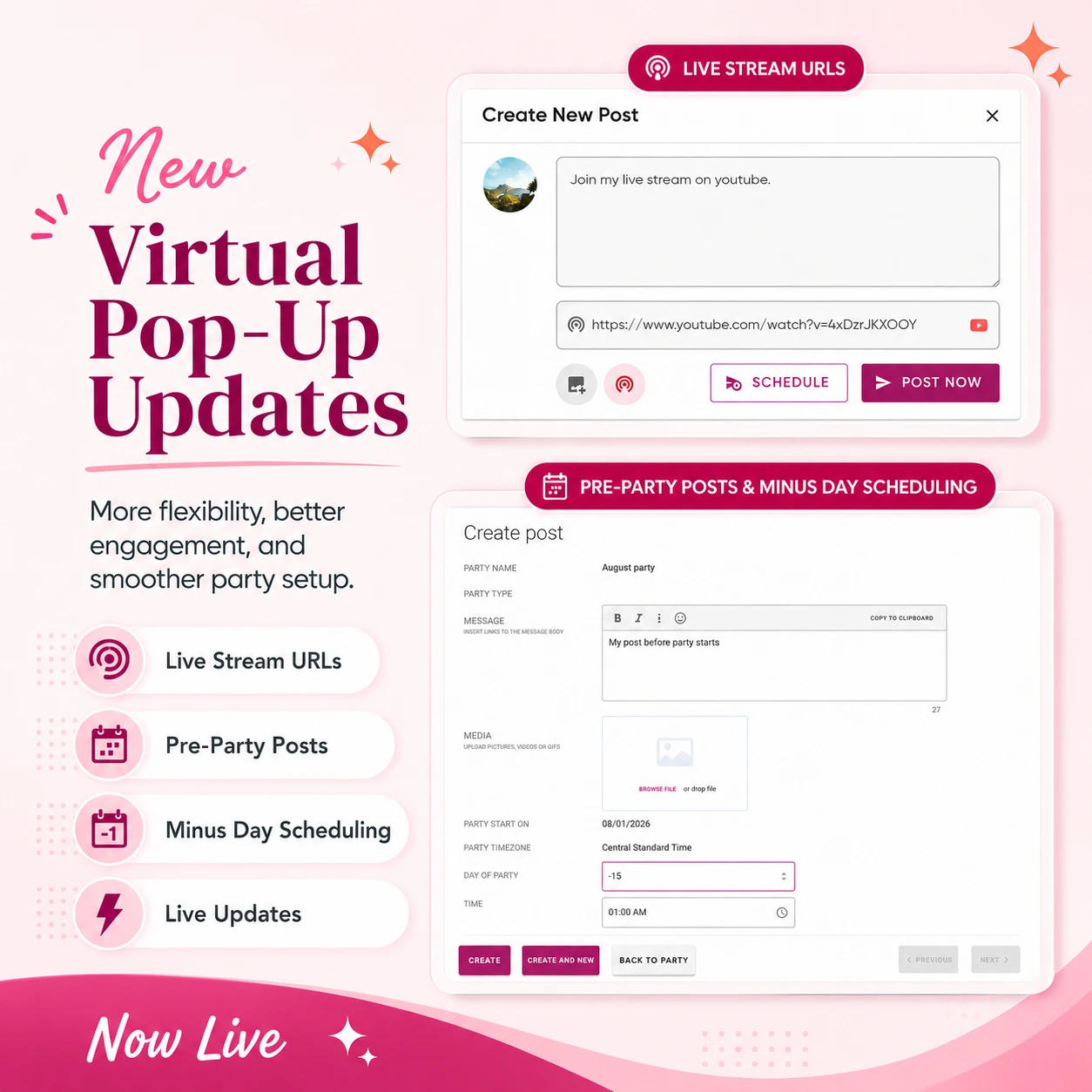
New PostMyParty Updates: Live Stream URLs, Live Party Updates, Pre-Party Posts, and More
PostMyParty just keeps getting better.
We’ve released more updates to Virtual Pop-Ups, and these updates are focused on one big goal:
Helping you run smoother, more engaging parties with less extra work.
Virtual Pop-Ups have already been a huge success, and your feedback has helped us keep improving them quickly.
Here’s what’s new and now live inside PostMyParty.
🎥 New: Live Stream URLs for Virtual Pop-Ups
This is an exciting update.
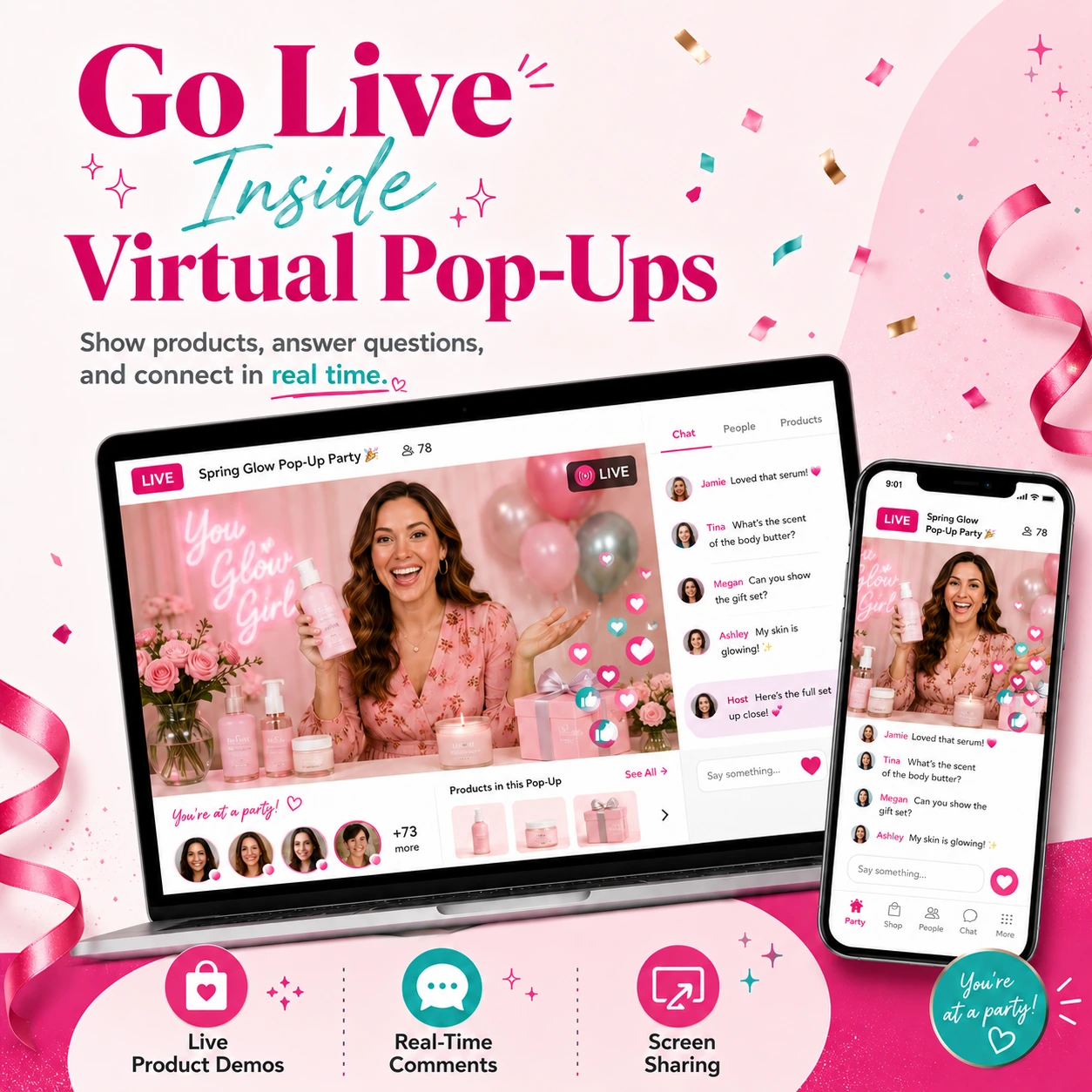
Hosts can now add a Live Stream URL to their Virtual Pop-Up.
That means if you are going live using another tool, you can add your live stream link right inside the party.
You can use this with tools like:
✔ YouTube Live
✔ OneStream
✔ StreamYard
✔ Zoom
✔ Other live stream links you want to share with guests
This makes it easier for guests to know when you are live and where to go.
Even better, when the live stream starts, guests can receive a special notification that lets them know the host is live.
That notification is different from a normal post notification.
It is specifically for the live stream.
This helps grab attention and bring guests back to the party at the right time.
Why Live Stream URLs Matter
Live video can be one of the most powerful parts of an online party.
It gives you a chance to:
✔ Show products
✔ Answer questions
✔ Build trust
✔ Create excitement
✔ Help guests feel more connected
✔ Make the party feel more personal
But one of the biggest challenges is getting people to show up live.
The Live Stream URL feature helps with that.
Instead of hoping guests see a post or remember the time, they can get a clearer notification that the live stream has started.
That makes it easier for guests to jump in and watch.
This is especially helpful for:
✔ Zoom Parties
✔ YouTube Live Parties
✔ Product demos
✔ Launch parties
✔ Flash sales
✔ Host events
✔ VIP customer events
✔ Team trainings
✔ Q&A sessions
If live video is part of your party strategy, this update makes it easier to bring guests back into the action.
Stay Tuned: Besides this type of live streaming, we’re also working on built in native live streaming. So in the future, you’ll be able to livestream natively within the app, without having to rely on any third-party platforms.
🗓 New: Create Posts Before the Party Starts
Another helpful update is the ability to create posts before the party officially starts.
This gives you more control over your party setup.
Instead of waiting until the party start time to begin posting, you can now schedule content before Day 1.
This is helpful for setting the stage before the main party begins.
You can use pre-party posts for things like:
✔ Welcome posts
✔ Host introductions
✔ Party instructions
✔ How to turn on notifications
✔ How to add the party to the home screen
✔ Sneak peeks
✔ Giveaway rules
✔ Shopping links
✔ “Start here” posts
This helps guests feel prepared before the party begins.
Why Pre-Party Posts Are Helpful
A good party does not start with the first product post.
It starts with getting guests comfortable.
Pre-party posts help you welcome guests, explain what to expect, and make sure they know how to participate.
For example, you could schedule a post before the party starts that says:
“Welcome to the party! Take a minute to say hi, turn on notifications, and check out the shopping link at the top.”
That kind of post can help guests take action early.
It also gives them something to see when they first join the Virtual Pop-Up.
Instead of entering an empty party, guests can see helpful content right away.
That makes the experience feel more active, more helpful, and more organized.
➖ New: Choose “Minus Days” for Scheduling
To make pre-party posts easier, we’ve also added the ability to choose minus days when scheduling.
That means you can schedule posts before the official party start date.
For example:
- Day -2 could be two days before the party starts
- Day -1 could be one day before the party starts
- Day 0 or Day 1 could be when your main party content begins
This gives you more flexibility.
You can build a party flow that starts before the actual event.
That is great for warming up guests and getting them ready.
How You Can Use Minus Days
Here are a few simple ways to use minus days in your party templates.
Day -2: Invite and welcome
Use this day for:
✔ A welcome message
✔ A note from the host
✔ A quick “what to expect” post
✔ A reminder to add the party to the home screen
Day -1: Build excitement
Use this day for:
✔ Sneak peeks
✔ Giveaway instructions
✔ A fun question
✔ A reminder to turn on notifications
✔ A teaser for what’s coming
Party start day: Begin the main content
Use this day for:
✔ Product posts
✔ Demos
✔ Live stream reminders
✔ Shopping links
✔ Special offers
This makes the party feel more organized from the start.
It also gives guests more time to get involved before the main party begins.
⚡ New: Live Updates for Posts, Comments, Replies, and Likes
This is another big improvement.
Virtual Pop-Ups now have live updates for:
✔ Posts
✔ Comments
✔ Replies
✔ Likes
That means you do not have to refresh the page to see new activity.
When something new happens, it can show up automatically.
This makes Virtual Pop-Ups feel more active and more real-time.
Why Live Updates Matter
In an online party, timing matters.
If someone comments, replies, or likes something, you want to see it quickly.
You do not want to keep refreshing the page to check for updates.
Live updates make the party feel smoother.
They help hosts respond faster.
They help guests see new activity faster.
And they help the party feel more alive.
This is especially useful when guests are interacting during:
✔ Product demos
✔ Giveaways
✔ Live streams
✔ Flash sales
✔ Q&A posts
✔ Final call posts
When conversations update in real time, it is easier to keep the energy going.
📱 App Name Update: From “PostMyParty” to “Party”
We also made a small but helpful update to the app name.
The app now shows as “Party” instead of “PostMyParty.”
This makes the guest experience simpler.
When guests add the Virtual Pop-Up to their home screen, the app name is short, clear, and easy to recognize.
Instead of seeing a longer name, guests will see a simple app name that matches what they are joining:
Party
This can make it easier for guests to find and return to the party later.
Why This Small Change Helps Guests
The easier it is for guests to come back, the better.
If a guest adds the party to their home screen, they need to be able to find it quickly.
A short name like “Party” is easier to recognize.
It also feels more natural for guests who may not know what PostMyParty is yet.
They just know they joined a party.
So when they see “Party” on their home screen, it makes sense.
This small update helps make the guest experience cleaner and easier.
Virtual Pop-Ups Keep Getting Better
These updates are part of our ongoing goal to make Virtual Pop-Ups simple, familiar, and powerful.
Like the best version of Facebook parties…
but with more control, fewer distractions, and features built for direct sellers.
Virtual Pop-Ups already help you:
✔ Host parties outside of Facebook
✔ Invite guests with one simple link
✔ Use your existing templates
✔ Schedule posts automatically
✔ Collect guest contact information
✔ Add shopping links and helpful buttons
✔ Feature important posts
✔ Chat with guests
✔ Help guests turn on notifications
✔ Keep guests focused on your party
And now, with these new updates, they are even more useful.
You can add live stream links.
You can create posts before the party starts.
You can use minus days in your party schedule.
You can see live updates without needing to refresh.
And guests will see a cleaner app name when they add the party to their home screen.
Quick Recap
Here’s the simple version.
🎥 Live Stream URLs
Add a live stream link to your Virtual Pop-Up and send guests a special notification when the live stream starts.
You can use links from tools like YouTube Live, OneStream, StreamYard, Zoom, and more.
🗓 Pre-Party Posts
Create and schedule posts before the party officially begins.
➖ Minus Day Scheduling
Choose days before the party start date, like Day -1 or Day -2, to warm up guests.
⚡ Live Updates
See new posts, comments, replies, and likes without refreshing.
📱 App Name Change
The home screen app name now shows as “Party” instead of “PostMyParty” for a simpler guest experience.
What This Means for Your Parties
These updates can help you run better Virtual Pop-Ups from start to finish.
You can prepare guests before the party starts.
You can build excitement early.
You can send people to your live stream more easily.
You can respond faster when guests interact.
You can make it easier for guests to come back.
Together, these updates help create a smoother party experience.
One that feels more organized.
More active.
More connected.
And easier for everyone to use.
That is exactly what we want Virtual Pop-Ups to be.
Ready to Try These Updates?
These new features and improvements are now live inside PostMyParty.
Log into your PostMyParty dashboard and try them today.
We’re so excited to keep improving Virtual Pop-Ups and helping you build a more repeatable, organized, and engaging direct sales business.
And we want to keep hearing from you.
Your feedback has already helped shape Virtual Pop-Ups, and we want to know what would make them even better.
If you have an idea, feature request, or suggestion, please send it to us.
You can also use the suggestion area inside your PostMyParty dashboard to share ideas and vote on what you’d like to see next.
Thank you again for all your feedback.
Your ideas are helping shape the future of Virtual Pop-Ups.