How to Run a Facebook Party Without Spending Hours Copying and Pasting
Simple, practical ways to save time, stay organized, and run smoother Facebook parties with less stress.
Running a Facebook party can be a great way to grow your business.
You can show products.
Answer questions.
Build relationships.
Get orders.
Book more parties.
But let’s be honest…
A lot of the work can feel exhausting.
Copy post.
Paste post.
Add photo.
Check the time.
Post again.
Repeat all day.
That gets old fast.
Especially if you are running more than one party at a time.
The good news?
You do not have to run your Facebook parties that way.
With the right system, you can plan ahead, schedule your content, and spend more time connecting with people instead of copying and pasting all day.
Here’s how.
1. Stop Doing Every Post Manually
Manual posting sounds simple at first.
But it quickly becomes overwhelming.
👉 You have to remember:
- What to post
- When to post it
- Which group to post in
- Which image goes with each post
- Whether you already posted it
- What still needs to go out next
That is a lot to keep in your head.
And when life gets busy, it is easy to miss something.
You may forget a post.
Post at the wrong time.
Use the wrong image.
Or feel like you have to stay glued to your phone all day.
Result:
You get tired before the party even has a chance to build momentum.
👉 With PostMyParty:
You can organize your party content ahead of time so you are not scrambling during the party.
2. Use a Party Plan Before You Start
A strong Facebook party does not happen by accident.
It works best when it has a simple flow.
👉 A basic party plan could include:
- Welcome post
- Host introduction
- Icebreaker question
- Product spotlight
- Testimonial
- Fun game or poll
- Special offer
- FAQ post
- Final reminder
- Thank-you post
This gives your party structure.
Instead of asking, “What should I post next?”
You already know.
Result:
Your party feels more organized, more professional, and easier for guests to follow.
👉 With PostMyParty:
You can save party content and reuse it again later, so you do not have to start from scratch every time.
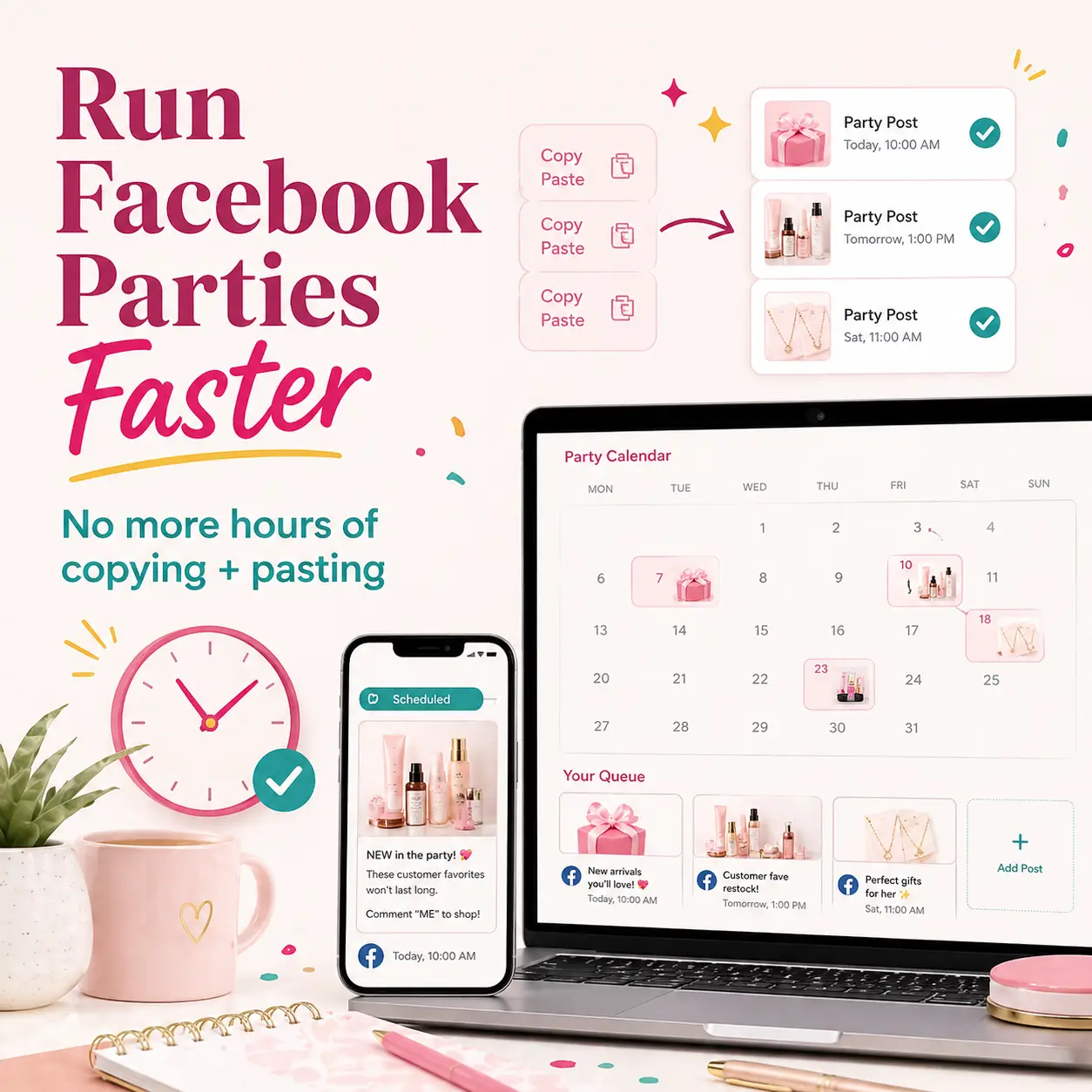
3. Schedule Your Posts Ahead of Time
This is where the time savings really starts.
Instead of posting live all day, you can prepare your content before the party begins.
👉 Scheduling ahead helps you:
- Stay consistent
- Avoid missed posts
- Keep the party moving
- Reduce last-minute stress
- Free up your time during the day
This means your party can keep running even while you are busy with real life.
You can be working.
Cooking dinner.
Picking up kids.
Running errands.
Or helping customers.
Your party does not have to stop just because you are not sitting at your computer.
Result:
You stay consistent without being online every minute.
👉 With PostMyParty:
You can schedule your party posts ahead of time and keep everything organized in one place.
4. Use the Chrome Extension to Make Posting Easier
Facebook has changed how posting tools can work inside groups.
That means many direct sellers now feel like they are back to doing everything manually.
But PostMyParty’s Chrome Extension helps make the process much easier.
Instead of digging through notes, photos, folders, and old posts, your content is already organized and ready for you.
👉 The Chrome Extension helps you stay on track with:
- What needs to be posted
- When it needs to be posted
- Which content goes with each post
- Which group or party you are working on
- What you have already completed
This gives you a clear posting flow instead of a messy copy-and-paste process.
Result:
Less confusion.
Fewer missed posts.
Less time wasted searching for content.
👉 With PostMyParty:
The Chrome Extension helps guide you through your scheduled posts so your Facebook parties are easier to manage.
5. Spend Your Energy on Conversations, Not Copying and Pasting
Here is the truth:
Sales usually do not happen because you copied and pasted perfectly.
They happen because people feel seen, helped, and followed up with.
That is why your time is better spent engaging with guests.
👉 During the party, focus on:
- Replying to comments
- Welcoming guests
- Answering questions
- Starting conversations
- Sending follow-up messages
- Helping people choose products
- Thanking people for participating
This is the part that builds trust.
And trust is what leads to more sales, bookings, and repeat customers.
Result:
You have more time for the conversations that actually grow your business.
👉 With PostMyParty:
You can let your system handle more of the posting process while you focus on connecting with people.
6. Reuse What Works
You do not need to create a brand-new party every single time.
If a post gets comments, save it.
If a product spotlight works well, reuse it.
If a party flow gets good results, use it again.
👉 Reusing content helps you:
- Save time
- Stay consistent
- Improve your parties
- Avoid starting from zero
- Build a repeatable system
This is one of the easiest ways to grow without burning out.
You are not being lazy.
You are being smart.
Result:
Every party becomes easier because you are building from what already works.
👉 With PostMyParty:
You can keep your content organized so your best posts are ready for future parties.
7. Check Your Queue Before the Party Starts
Before your party begins, take a few minutes to review everything.
This helps you catch small mistakes before they become stressful.
👉 Check for:
- Missing images
- Wrong dates
- Overlapping posts
- Duplicated post times
- Posts that need updates
- Product links that need to be changed
A quick review can save you a lot of headaches later.
Result:
You feel more prepared and confident before the party starts.
👉 With PostMyParty:
The Queue tab helps you see what is scheduled and what has already posted, so it is easier to stay organized.
8. Create a Simple Weekly Flow
You do not need a complicated system.
A simple weekly rhythm can make your Facebook parties much easier to manage.
Here is an example:
Monday: Plan
Choose your party theme.
👉 Examples:
- New product party
- Mystery host party
- VIP customer event
- Seasonal sale
- Booking party
- Team training party
Pick the goal for the party before you build the content.
Tuesday: Prep
Choose your posts.
👉 Include things like:
- Welcome post
- Product highlights
- Questions
- Games
- Offers
- Final reminder
Update anything that needs to be changed.
Wednesday: Schedule
Add your content to your party schedule.
👉 Make sure:
- Posts are in the right order
- Images are correct
- Times make sense
- Offers are clear
- Links are updated
Thursday: Review
Check your party before it starts.
👉 Look for:
- Missing content
- Mistakes
- Timing issues
- Posts that feel too long
- Anything that needs a stronger call to action
Friday to Sunday: Engage
Now your job is not to copy and paste all day.
Your job is to show up.
👉 Focus on:
- Comments
- Messages
- Questions
- Follow-ups
- Orders
- Bookings
Result:
You build a repeatable system that saves time every week.
✅ Quick Recap: What Saves the Most Time
Here’s what works:
✔ Stop manually posting everything
✔ Create a party plan first
✔ Schedule your posts ahead of time
✔ Use the Chrome Extension
✔ Focus on conversations
✔ Reuse your best content
✔ Check your Queue before the party starts
✔ Follow a simple weekly flow
You do not need to make this complicated.
Start with one party.
Build a simple system.
Improve it each time.
🏆 What Successful Direct Sellers Do Differently
Successful direct sellers do not rely on last-minute posting.
They use systems.
They plan ahead.
They stay consistent.
They reuse what works.
They follow up with guests.
They spend more time building relationships.
That is what makes the difference.
Because the goal is not just to post more.
The goal is to create more conversations, more trust, and more sales without burning yourself out.
🙌 Where PostMyParty Fits In
PostMyParty helps direct sellers run Facebook parties with less stress and less manual work.
With PostMyParty, you can:
- Organize your party content
- Save reusable posts
- Schedule parties ahead of time
- Use the “Schedule a Party” tab in the Chrome Extension
- Review your Queue
- Run smoother parties
- Spend less time copying and pasting
All in one place.
So instead of feeling like you have to manage every post by hand, you can build a system that helps you stay consistent.
🎉 Ready to Run Easier Facebook Parties?
You do not have to spend hours copying and pasting.
Start simple.
Plan your party.
Schedule your content.
Use the Chrome Extension
Then focus on what matters most:
Helping people.
Answering questions.
Starting conversations.
Making sales.
PostMyParty helps make that easier from start to finish.