New Virtual Pop-Up Updates: Chat, Featured Posts, Better Notifications, and More
Virtual Pop-Ups just got even better.
Since launching Virtual Pop-Ups, we’ve been so excited to see how many PostMyParty users are jumping in, trying them, and using them for their parties.
And we want to say this again:
Thank you for your feedback.
Your comments, questions, and suggestions have been incredibly helpful.
Virtual Pop-Ups have already been a huge success, and we’re moving quickly to keep improving them so they’re easier for both hosts and guests to use.
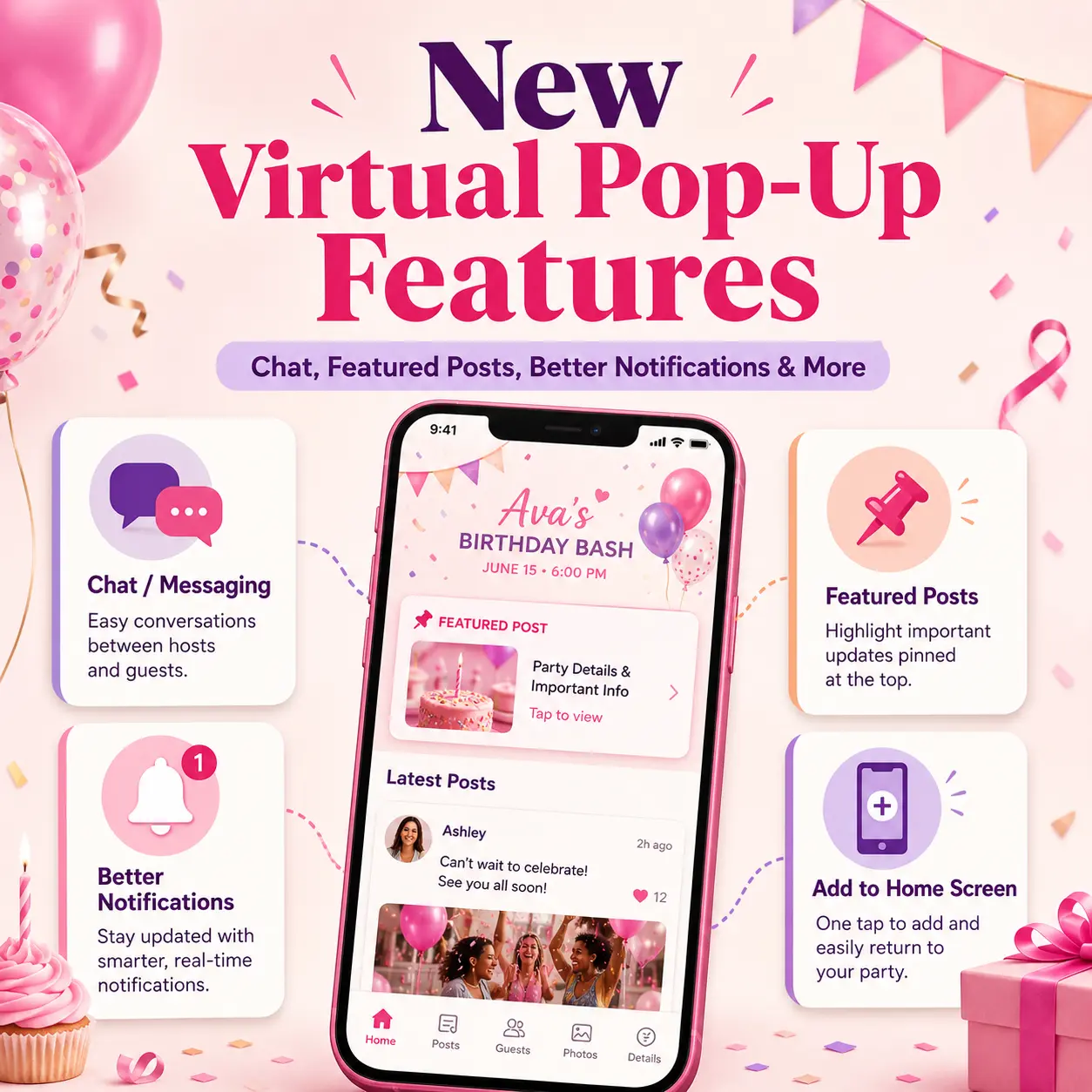
These latest updates are all about making Virtual Pop-Ups feel more personal, easier to navigate, and more connected.
Here’s what’s new.
💬 New: Chat Inside Virtual Pop-Ups
This is a big one.
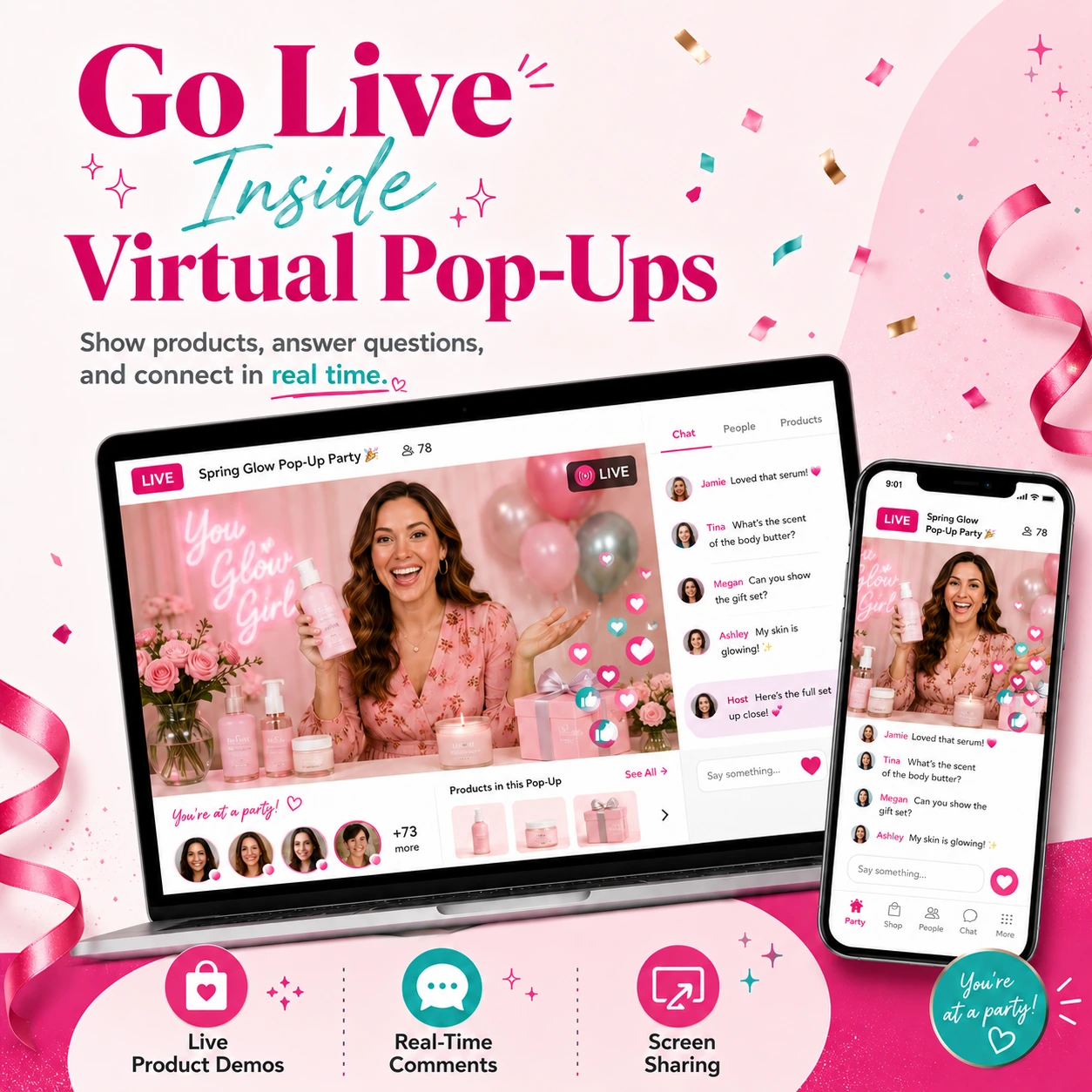
Guests and hosts can now message each other inside the Virtual Pop-Up.
That means conversations can happen right where the party is already happening.
Before, if a guest had a question, they may have needed to message the host somewhere else.
Now, they can reach out inside the pop-up.
👉 With chat, guests and hosts can:
✔ Ask questions
✔ Send quick messages
✔ Get help with products
✔ Follow up during the party
✔ Keep conversations in one place
This makes the Virtual Pop-Up feel more personal and more connected.
And that matters because conversations are where a lot of sales happen.
A guest may have a question about a product.
They may need help choosing an item.
They may want the shopping link.
They may be interested but not ready to comment publicly.
Now they can message the host right inside the party.
Result:
Fewer lost conversations.
Faster answers.
A smoother guest experience.
More chances to help guests and close sales.
Why Chat Matters for Direct Sellers
Direct sales is built on relationships.
Posts help people learn.
Links help people shop.
But conversations help people decide.
That’s why chat is such an important update.
It gives hosts and guests an easier way to connect without leaving the Virtual Pop-Up.
For example, a guest can message the host to ask:
- “Which one would you recommend?”
- “Is this still available?”
- “Can you send me the link?”
- “Would this make a good gift?”
- “How do I order?”
- “Can you help me choose?”
The host can respond right there and help move the conversation forward.
Instead of sending guests away to another app or platform, the conversation can stay connected to the party.
That makes Virtual Pop-Ups even more useful for real sales conversations.
📌 New: Featured Posts
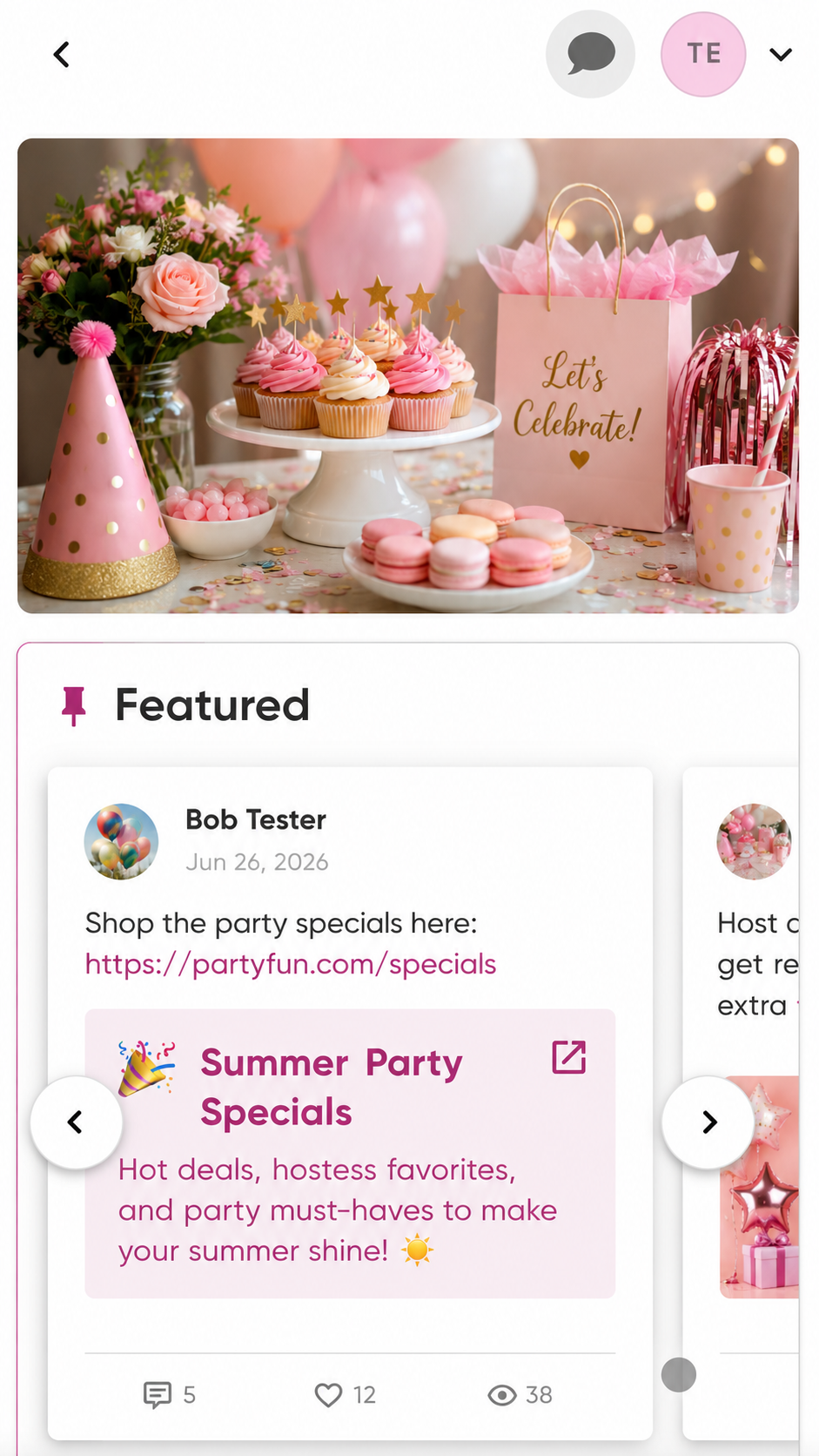
Hosts can now feature important posts at the top of the party.
This makes it easier for guests to find the information that matters most.
In any online party, some posts are more important than others.
A guest may need the shopping link.
They may need the welcome post.
They may need the giveaway details.
They may need the final call reminder.
But if a party has a lot of posts, important details can get pushed down.
Featured Posts help solve that.
Now hosts can keep key posts easy to find.
👉 Featured Posts are perfect for:
✔ Welcome posts
✔ Shopping links
✔ Special offers
✔ Giveaways
✔ Important reminders
✔ Host rewards details
✔ Product collections
✔ Final call posts
This helps guests quickly find what they need without scrolling through the whole party.
Result:
Less confusion.
Less repeated answering.
Easier navigation for guests.
More attention on the posts that matter most.
How to Use Featured Posts
Featured Posts can be used in many ways depending on the type of Virtual Pop-Up you’re running.
Here are a few ideas.
For a product launch
Feature:
- The main launch announcement
- The shopping link
- A product overview
- A limited-time offer
For a flash sale
Feature:
- The sale details
- The deadline
- The shopping link
- The best deal or bundle
For a hostess party
Feature:
- The welcome post
- The host’s favorite product
- The shopping link
- Host reward information
For a VIP customer event
Feature:
- Exclusive offer details
- Giveaway instructions
- New product posts
- Final reminder
The goal is simple:
Make the most important information easy to find.
When guests don’t have to search, they’re more likely to take action.
📲 Improved: Add to Home Screen Flow
We also improved the Add to Home Screen flow.
This helps guests understand how they can add the Virtual Pop-Up to their phone or device so it’s easier to come back later.
This matters because one of the biggest challenges with any online party is getting guests to return.
They may join once.
Click around.
Get distracted.
Close the page.
Then forget where the link is.
The Add to Home Screen option helps solve that.
Now the wording is clearer and works better for both iPhone and Android users.
That means guests can better understand what to do and why it matters.
👉 Adding the party to their home screen helps guests:
✔ Find the party faster
✔ Return without searching for the link
✔ Stay more connected
✔ Check new posts more easily
✔ Keep the party one tap away
Result:
Fewer lost links.
A better guest experience.
More return visits to the party.
Why the Home Screen Shortcut Helps
Think of it like giving guests a quick shortcut back to the party.
Instead of digging through texts, emails, messages, or old links, they can tap the party from their home screen.
This is especially helpful for:
- Multi-day parties
- VIP groups
- Team groups
- Product launches
- Longer events
- Holiday shopping events
- Customer communities
The easier it is for guests to come back, the better.
And this update helps make that process clearer.
🔔 Improved: Notification Flow
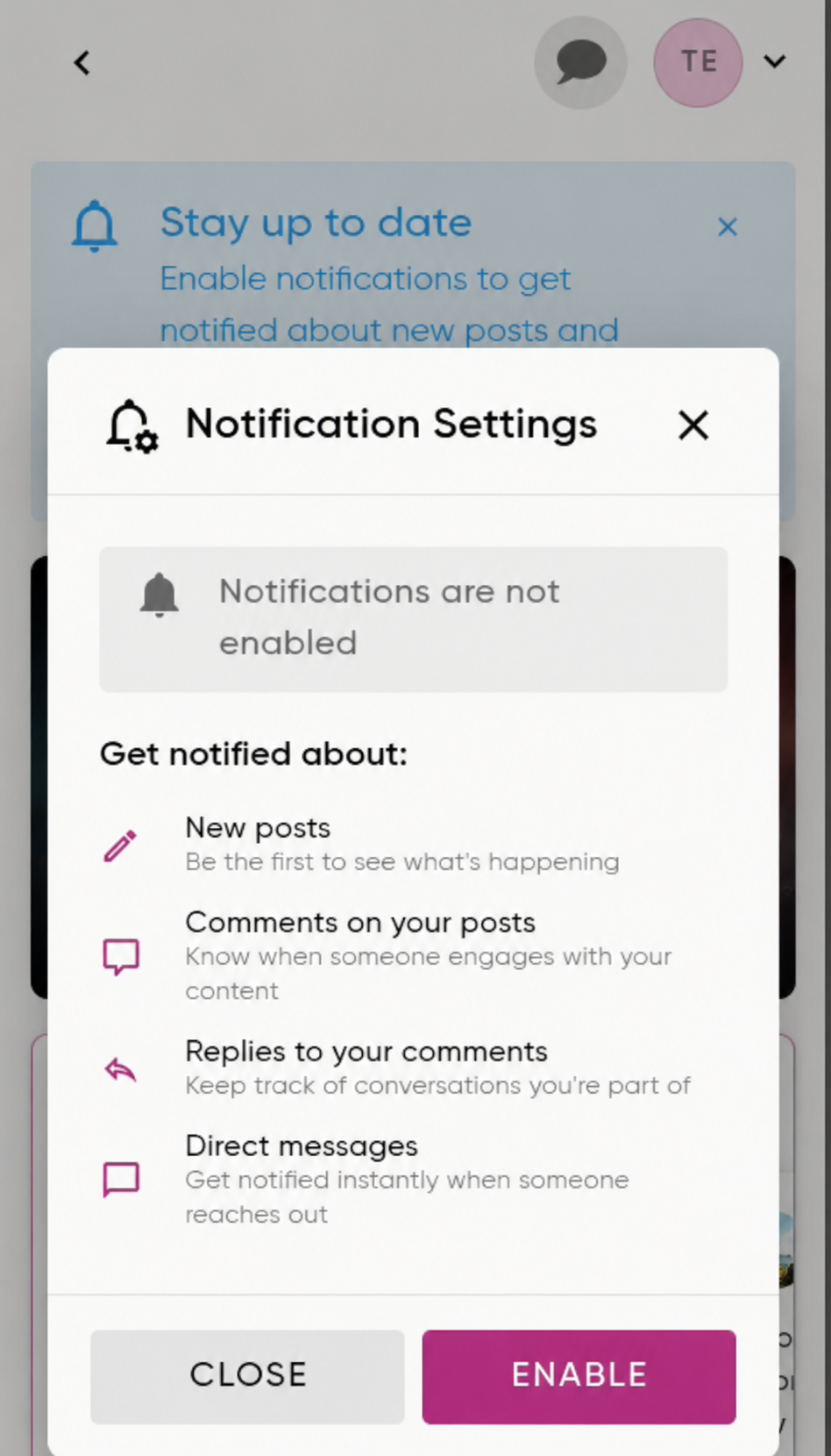
We also improved the notification permission flow.
Now guests see a clearer explanation of what notifications are for before they enable them.
This is important because notification prompts can sometimes feel confusing.
If a guest sees a notification request and doesn’t understand why they should allow it, they may click no.
But notifications help guests know when something new is happening inside the Virtual Pop-Up.
So we made the explanation clearer.
Guests can better understand that notifications help them know when there are:
✔ New posts
✔ New replies
✔ Important party updates
This helps guests stay connected and come back when something new happens.
Result:
Guests understand notifications better.
They know why notifications matter.
They have a better chance of staying engaged.
Why Notifications Matter
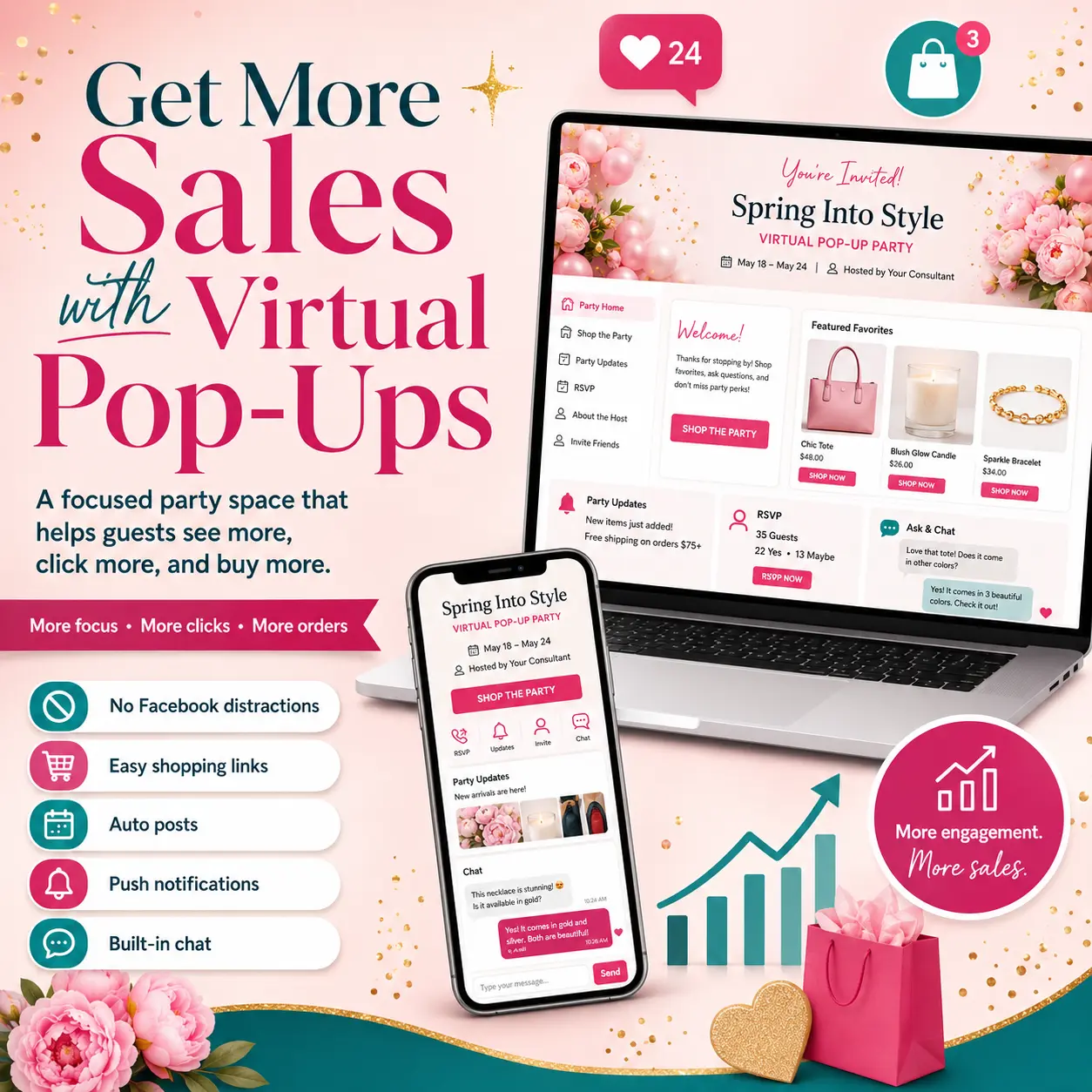
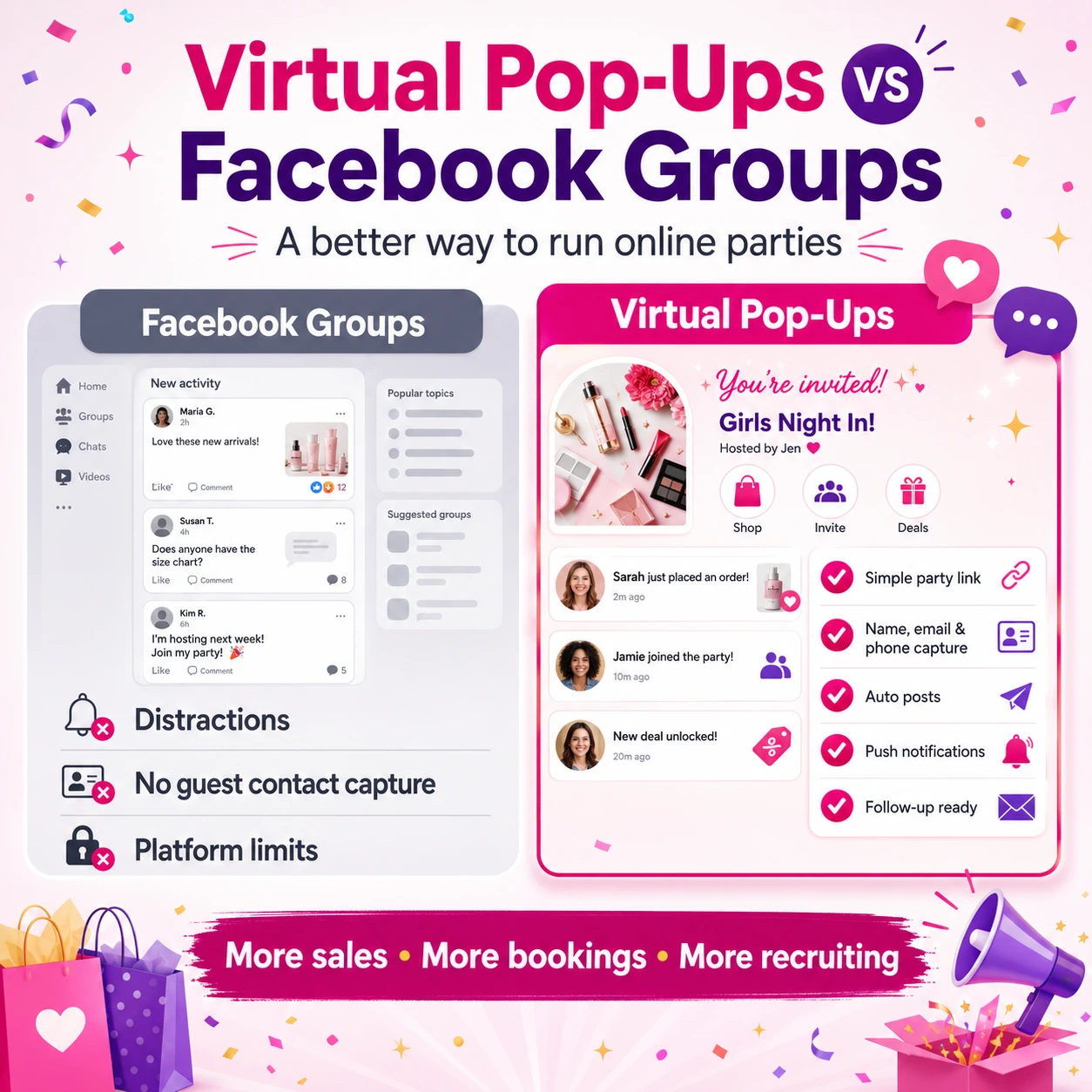
Virtual Pop-Ups are designed to feel familiar, like the best version of Facebook parties.
But with more control.
One of the challenges with Facebook parties is that Facebook decides when people get notified.
Sometimes guests see the post.
Sometimes they don’t.
Sometimes notifications happen.
Sometimes they don’t.
Virtual Pop-Ups give guests clearer ways to stay updated based on the notification options they choose.
That can help bring people back to the party when there is something new to see.
Notifications are especially helpful for:
- New post alerts
- Replies to comments
- Important reminders
- Flash sale updates
- Final call posts
- Giveaway updates
The improved notification flow helps guests understand why enabling notifications can make their party experience better.
Virtual Pop-Ups Keep Getting Better
These updates are part of our bigger goal:
To make Virtual Pop-Ups feel familiar, simple, and easy for both hosts and guests.
Like the best version of Facebook parties…
but with more control, fewer distractions, and features built for direct sellers.
Virtual Pop-Ups already let you:
✔ Host parties outside of Facebook
✔ Invite guests with one simple link
✔ Use your existing templates
✔ Schedule posts automatically
✔ Collect guest contact information
✔ Add helpful links
✔ Keep guests focused on your party
✔ See who viewed and liked posts
✔ Use the party app experience
And now, with these new updates, they’re even better.
You can chat with guests.
Feature important posts.
Make it easier for guests to come back.
And explain notifications more clearly.
That makes the whole party experience smoother.
Quick Recap: What’s New
Here’s the simple version.
💬 New Chat
Guests and hosts can message each other inside the Virtual Pop-Up.
This helps questions, product help, and follow-up conversations happen right inside the party.
📌 Featured Posts
Hosts can feature important posts at the top of the party.
This makes key information easier to find.
📲 Better Add to Home Screen Flow
Guests now get clearer wording for adding the party to their home screen.
This helps them come back later without losing the link.
🔔 Better Notification Flow
Guests now see a clearer explanation of why notifications matter.
This helps them understand that notifications can alert them about new posts, replies, and important updates.
What This Means for Your Parties
These updates may seem simple, but they can make a big difference.
Chat helps you connect with guests faster.
Featured Posts help guests find important information.
The improved Add to Home Screen flow helps guests return more easily.
The improved notification flow helps guests stay connected.
Together, these updates make Virtual Pop-Ups easier to use and more powerful for your business.
They help you create a party that is:
✔ Easier to join
✔ Easier to follow
✔ Easier to return to
✔ Easier to interact with
✔ Easier to shop from
✔ Easier to manage
That is exactly what Virtual Pop-Ups were built to do.
Ready to Try the New Virtual Pop-Up Updates?
If you’ve already been using Virtual Pop-Ups, log in and try the new updates today.
If you haven’t created one yet, now is a great time to start.
Virtual Pop-Ups are one of the biggest updates we’ve ever released inside PostMyParty, and they keep getting better thanks to your feedback.
Log into your PostMyParty dashboard today and try the newest Virtual Pop-Up updates.
Your next party may be easier, more connected, and more organized than ever.